


Ceros logo

Ceros Release Notes

Inspire ↗

Courses ↗

Video Tutorials ↗

Feature

Convert Studio Experiences with Flex AI

September, 2026

Bring your Studio work into Flex without rebuilding it. Point Flex AI at a Studio experience and it recreates the content as a fully editable Flex experience, so your existing library moves forward instead of starting over.

What it does:

  • Turns a Studio experience into a Flex experience with Flex AI, no manual rebuild required

  • Recreates your content as a responsive, fully editable Flex experience you can refine from there

  • Closes the gap between Studio and Flex, so migrating your existing library takes minutes instead of days

  • Gives you a running start on Flex while keeping the content and intent of the original

Try it now

Feature

Import a PDF with Flex AI

September, 2026

Turn a static PDF into an interactive, responsive experience. Upload a PDF into Flex AI, choose the format you want, and it builds a fully editable Flex experience from the content inside, so you can give old assets new life in minutes.

What it does:

  • Imports any PDF into Flex and turns its content into an interactive, responsive experience

  • Lets you choose the output format: a full landing page, a teaser page, a presentation, or anything in between

  • Builds a fully editable Flex experience, so you can refine and design from there like any other build

  • Gives static, one-off assets a second life as living, on-brand experiences

Try it now

Feature

Embed Hubspot, Marketo, and Eloqua Forms

September, 2026

Capture leads without leaving Flex. Drop your HubSpot, Marketo, or Eloqua forms right into an experience with dedicated components, and submissions flow straight into your platform of choice.

What it does:

  • Adds dedicated HubSpot, Marketo, and Eloqua tiles to the Integrations panel, each dropping a live form onto the canvas

  • Renders your real form as you build, so you can size and frame it without waiting for Preview

  • Sends every submission straight to your platform, so the lists, workflows, and follow-up automation on that form keep running unchanged

  • Sets up with the details your platform already gives you, with no account to connect and no embed code to paste

Learn more

Feature

Noun Project Icons in Flex

September, 2026

Add icons without ever leaving the editor. A new native integration with The Noun Project puts a huge, searchable icon library right in the Add content menu, so you can drop the symbol you need onto the canvas in seconds.

What it does:

  • Adds an Icons option to the Add content menu, alongside Sections, Components, and Pages

  • Searches the full Noun Project library by keyword, with no account to connect and no third-party tools

  • Inserts every icon as an editable SVG, so it stays sharp at any size across responsive layouts

  • Resizes and recolors like any other Flex asset, right from the Inspector Panel

Learn more

Any text element can now split into columns, with control over the gutter between them, so body copy reads like a magazine spread instead of stretching the full width of the page.

Feature

Text Columns

September, 2026

Flow your copy into multiple columns inside a single text box. Text Columns bring an editorial, magazine-style layout to Flex, so long passages are easier to read and quicker to lay out.

What it does:

  • Splits the text in a single text box into multiple columns, with your copy flowing from one column to the next automatically

  • Lets you set the number of columns and the gutter spacing between them right from the Inspector Panel

  • Reflows cleanly across breakpoints, so a multi-column desktop layout stays readable on tablet and mobile

  • Works with your existing text styles, so columns stay on brand without extra setup

Learn more

Feature

New CMS Connectors: AEM, WordPress & Contentful

September, 2026

Bring Ceros experiences into the tools you already publish with. Three new connectors let authors add interactive experiences to Adobe Experience Manager, WordPress, and Contentful directly, with no hand-rolled embed codes or external scripts.

What it does:

  • Adds native connectors for Adobe Experience Manager, WordPress, and Contentful, each built into that platform's own editor

  • Lets authors browse their Ceros account, pick an experience, and preview it in place, instead of copying embed codes between tabs

  • Gives control over delivery, with a choice of render modes to trade off freshness, offline resilience, and how each experience is served

  • Supports server-side rendering and local asset storage, so experiences can be read as part of your page and served without a runtime dependency on the Ceros CDN

Learn more

Feature

Direct Integrations with Google Maps & Youtube

September, 2026

Add interactive maps and videos straight to the canvas. Two new integrations let you drop in a Google Map or a YouTube video from the Integrations panel, then configure it in the Inspector, with no embed codes or API keys required.

What it does:

  • Adds Google Maps and YouTube tiles to the Integrations panel in Design mode, each dropping a ready-to-configure frame on the canvas

  • Google Maps: type a street address or place name and set a zoom level, with no API key, billing account, or domain allow-list needed

  • YouTube: paste a video URL and set autoplay, controls, mute, loop, and a start time, with support for privacy-enhanced URLs

  • Renders both live on the canvas, so you can check location, framing, and video while you build instead of waiting for Preview

Learn more

Feature

Public API

August, 2026

Connect Ceros to your own systems and workflows. The new Public API lets your team access accounts, experiences, folders, and embed codes programmatically, so you can automate the work you used to do by hand.

What it does:

  • Opens programmatic access to core Ceros objects, including accounts, experiences, folders, and embed codes

  • Secures every request with API key authentication over a standard bearer token

  • Is versioned with timestamped releases, so you can pin a version and upgrade on your own schedule

  • Comes with full developer documentation and a version selector to browse each version's exact endpoints

Learn more

Feature

Animation Timeline

August, 2026

See and shape your animation timing at a glance. The new Animation Timeline lays out every animation on your selected objects as bars across a time ruler, so you can adjust delays and durations by dragging instead of editing each one by hand.

What it does:

  • Adds a timeline panel at the bottom of the workspace in Animate mode, showing each animation as a bar with its delay and duration

  • Lets you drag bars to change delay, or drag either edge to change duration, with snapping to line animations up exactly

  • Shows gaps and overlaps across multiple objects side by side, so you can time a staggered sequence before you preview

  • Plays, restarts, and scrubs animations right on the canvas with a draggable playhead

  • Stays in sync with the Inspector Panel, so edits flow both ways

Learn more

Feature

User-Level Flex AI Credit Limits

August, 2026

Account admins can now set a monthly Flex AI credit cap for any individual user. It puts per-person guardrails on your shared account pool, so one heavy user can't spend the credits the rest of your team is counting on.

What it does:

  • Lets admins set a monthly credit limit per user from the Ceros Admin, under Settings > AI Usage

  • Blocks a user from Flex AI once they hit their limit, with limits resetting on the first of each month

  • Shows a live progress bar of credits used against each user's limit, right in the user table

  • Enables blocking Flex AI to a user entirely, so you can roll Flex AI out to a small group first

  • Stays opt-in: every user starts with no limit, so nothing changes until an admin sets one

iFramless Embed

Feature

Embed a Flex Experience Inline

August, 2026

Flex Inline places a published experience directly in your page without an iframe. It renders inside a Shadow DOM, a scoped section of the page that keeps its styles separate from the rest of your site while still being part of your page.

What it does:

  • Renders a published experience directly in your page, with no iframe

  • Scopes styles inside a Shadow DOM, so they stay separate from your site

  • Adds by pasting a div plus the inline client script

  • Hands analytics to your own page

Feature

Flex AI Custom Instructions

July, 2026

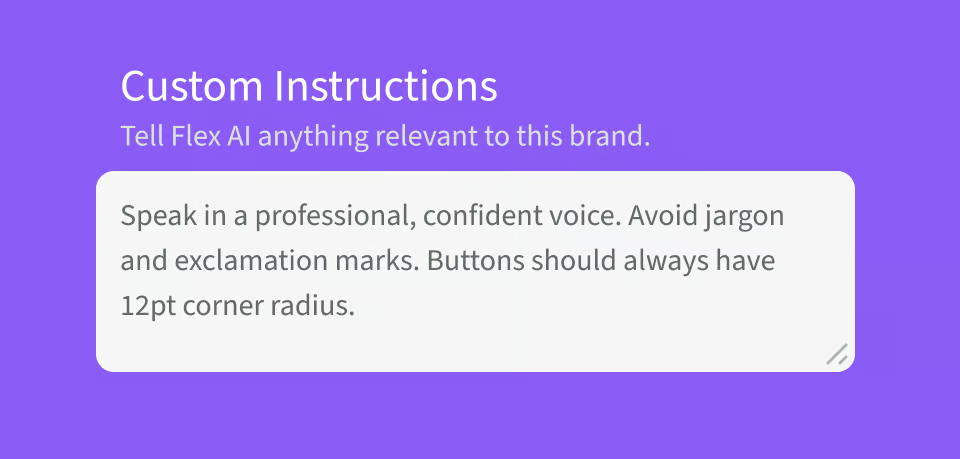
Teach Flex AI how to build for your brand. Flex AI Instructions are freeform brand guidance stored inside a Brand Kit that capture the rules colors and text styles alone cannot, so Flex AI builds on brand every time.

What it does:

  • Adds a Flex AI Instructions tab inside each Brand Kit for freeform, written brand guidance

  • Captures the details styles can't, like how primary and secondary buttons should look, corner radius and padding, allowed color-token combinations, and photography or copy guidelines

  • Lets you reference colors and text styles by their Token IDs so Flex AI applies exactly the right ones

  • Applies automatically the next time Flex AI creates content in any experience using that Brand Kit

  • Save & Publish to make instructions active, or Save Draft to keep editing before they go live

Improvement

New Animation Presets

July, 2026

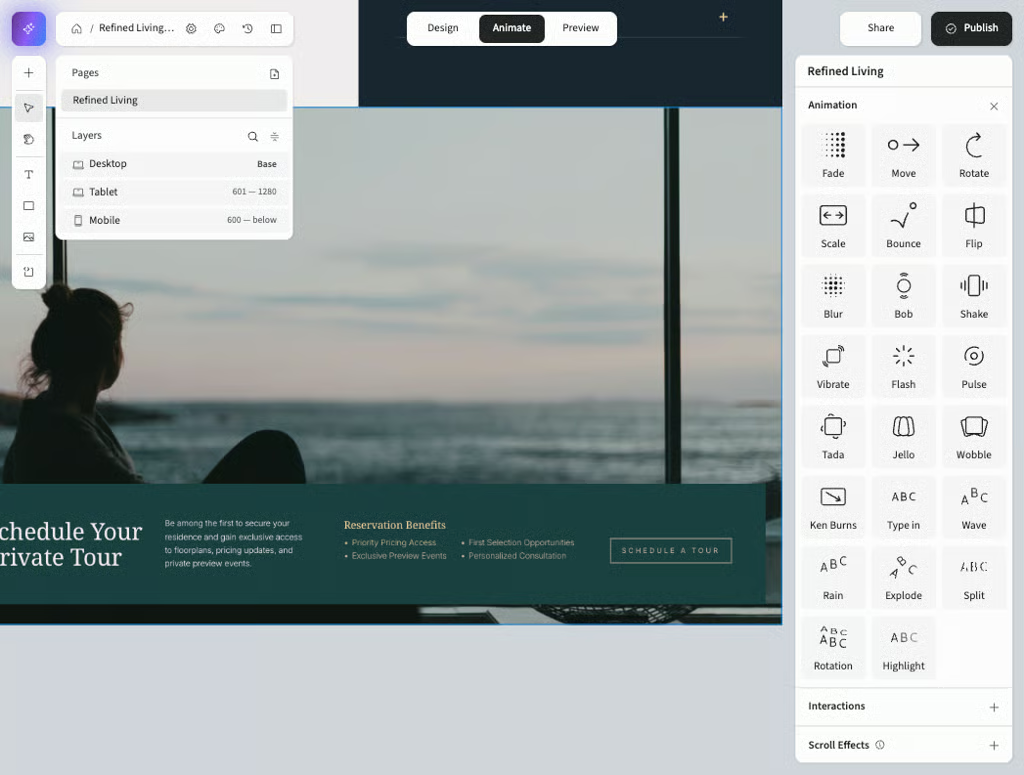
Flex now includes more Studio-style animation options, so you can recreate common motion patterns without workarounds. It expands the built-in animation library and makes migrating animated Studio content into Flex a lot faster.

What it does:

  • Adds ten Studio-style animation types to Flex: Blur, Expand, Bob, Shake, Vibrate, Tada, Roll, Jello, Wobble, and Ken Burns

  • Lets you apply reusable presets instead of building every animation from scratch

  • Recreates familiar Studio motion patterns during a Studio to Flex migration with less manual setup

< / >

New SDK

Feature

SDK for Flex & Flex AI

July, 2026

Build custom, interactive experience features with code, or let Flex AI write that code for you. The Flex Experience SDK lets a script find your on-canvas components and drive them, and Flex AI is now SDK-aware, so you can create logic and interactivity that standard interactions don't cover without hand-writing JavaScript.

What it does:

  • Gives you a full SDK surface (Locators, Data, Events, and the SDK Store) to find components and control them programmatically

  • Powers custom builds like calculators, multiple-choice and conditional-results quizzes, countdown timers, expandable FAQs, dismissible banners, custom video controls, and conditional page navigation

  • Lets Flex AI turn a plain-language description into working SDK code, always asking for your approval in chat, with a summary of the change, before updating or deleting anything

  • Stores code as labeled managed blocks in Settings > Custom HTML > Body HTML, where you can read, edit, or copy it anytime

  • Runs on the standalone preview (opens in a new tab) and on your published experience, so components that look inactive in the Flex workspace aren't broken

Learn More

Share

Feature

Share Flex Experiences

July, 2026

Bring collaborators and stakeholders into your work directly from Flex. Click Share to invite teammates at the access level you choose, or turn on a public preview link so anyone can view your experience without a Flex account.

What it does:

  • Invites people to a specific experience by email or name, with Can Design (full editing) or Can Preview (view-only) access

  • Sets permissions per experience, so the same person can have different access on different experiences without changing their account role

  • Shares a public preview link that lets anyone view the experience in their browser without signing in

  • Keeps work-in-progress safe: public preview is view-only, and search engines and AI tools cannot index it

Learn More

Feature

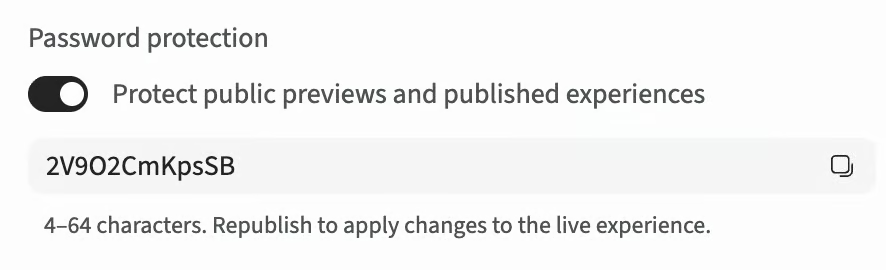
Password Protect your Content

July, 2026

In your Experience Settings, you'll see a new option to password protect your experience. This is a great option to secure your content, and allows you to set a custom password.

Learn More

Improvement

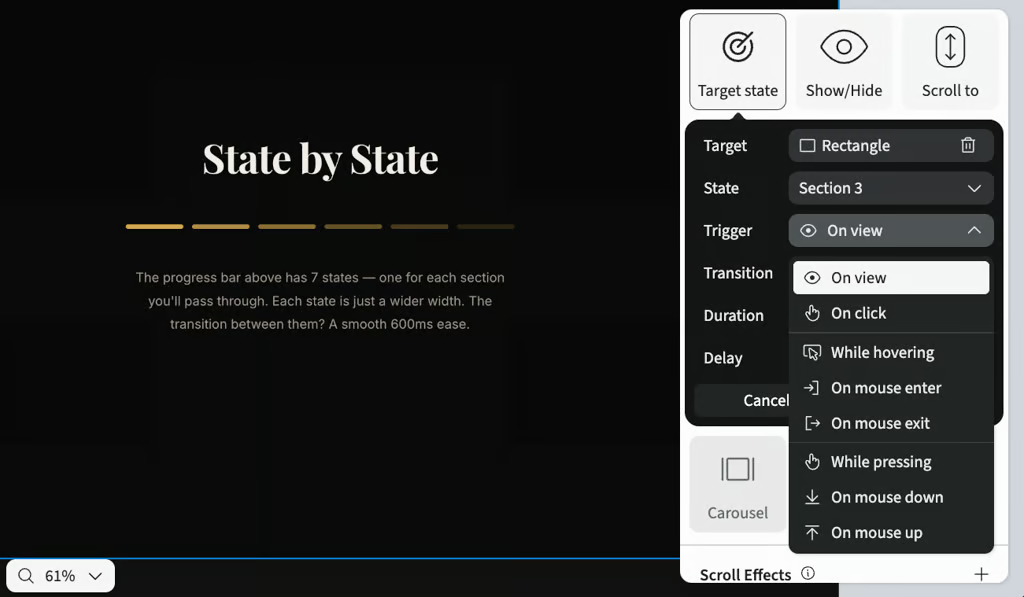
On View Triggers

June, 2026

You can now trigger interactions when an element scrolls into view, so content can reveal, hide, or change state as it appears on screen. No new interaction types required.

What it does:

  • Adds a "View" trigger option to show/hide, group visibility, object states, and supported carousel interactions

  • Lets you set an optional delay when "View" is selected

  • Automatically cancels delayed actions if the element leaves the viewport before the delay completes

  • Works with your existing animation and transition settings, just a new way to trigger them

Feature

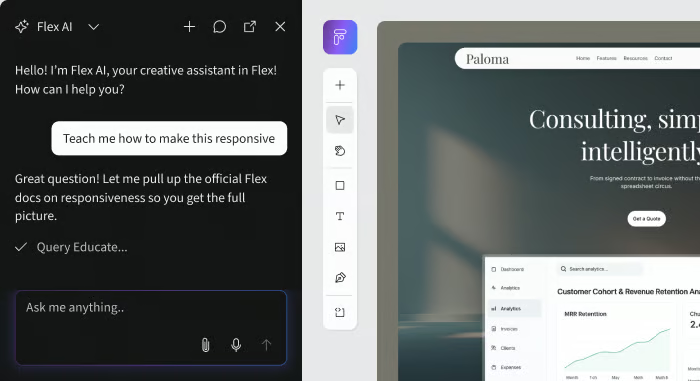
Flex AI 🤝 Educate

June, 2026

Flex AI is now connected to Ceros Educate, giving it direct access to official product documentation, tutorials, and best practices. That means it can teach you how features work, guide you through builds step by step, and help you get unstuck — all without leaving the canvas.


What it does:

  • Answers product questions with accurate, up-to-date guidance pulled from Educate articles

  • Walks you through builds with interactive, step-by-step tutorials right in the chat

  • Helps you troubleshoot roadblocks by diagnosing issues and suggesting fixes in context

  • Provides links to relevant Educate articles so you can dive deeper on any topic

Give it a try — just ask Flex AI something like “Teach me how responsive breakpoints work” or “How do I add a hover state?” and it’ll walk you through it.

Feature

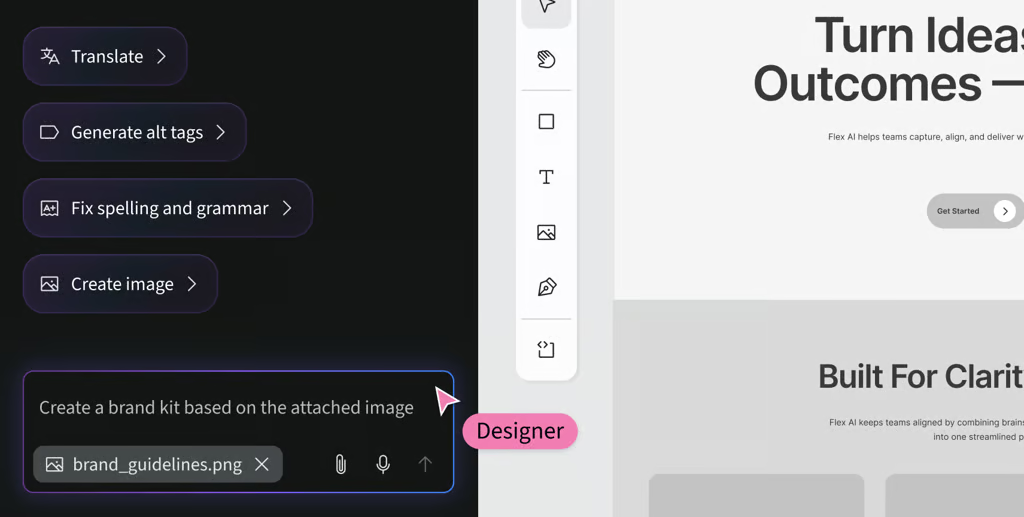
Flex AI can create and use your Brand Kit

June, 2026

Flex AI can now build an account-wide Brand Kit for you from a URL, image, existing experience, or quick description, then automatically apply those colors, fonts, and styles to everything it creates.


What it does:

  • Builds a brand kit from a URL, image, existing experience, or a quick description

  • Auto-applies your brand colors, fonts, and styles to anything Flex AI creates after

  • Updates every linked element across your experience when you change a token

Give it a try - just say, "Create a brand kit based on [your input]" to Flex AI. Be sure to include colors, fonts, and text styles when possible.

Improvement

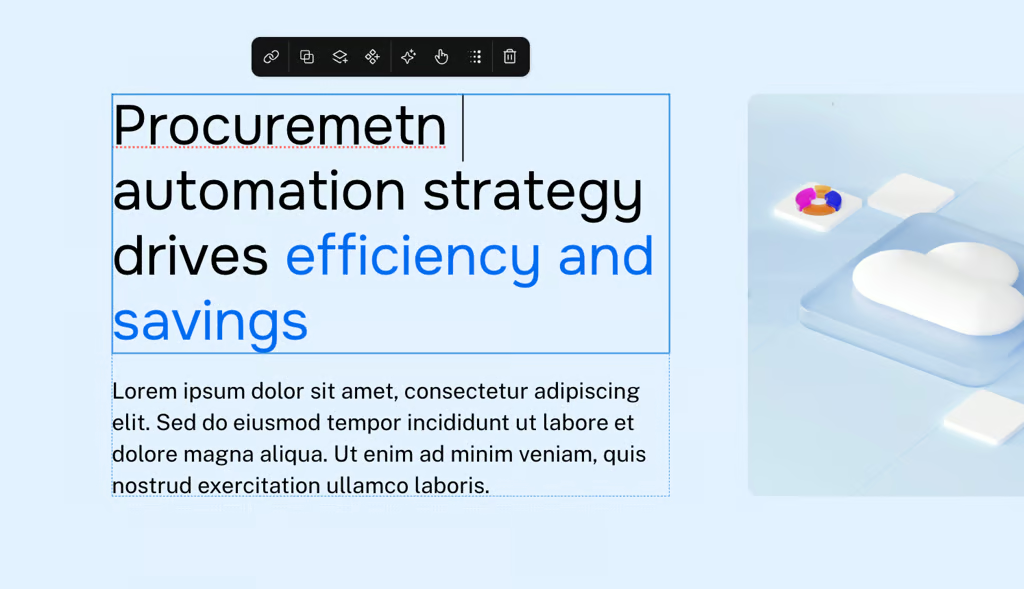
Native Spell Check

May, 2026

Native spellcheck now works inside editable text boxes in Flex, so typos get the familiar red underline as you type, without leaving the editor.

What it does:

  • Highlights misspellings while you edit text layers on the canvas

  • Uses your browser's built-in spellcheck across Chrome, Safari, Firefox, and Edge

  • Works alongside normal text styling with no rendering conflicts

Improvement

Text & Animation Polish

May, 2026

Two editor fixes that make text and animations behave the way you'd expect. Text with descenders like "g" and "y" now renders fully on the canvas, and animation timing fields accept values like "10s".

What it does:

  • Renders text fully when "fit content" is applied, so descenders no longer get clipped

  • Accepts time values like "10s" in animation delay and duration fields

  • Flags invalid timing inputs instead of silently reverting them

Feature

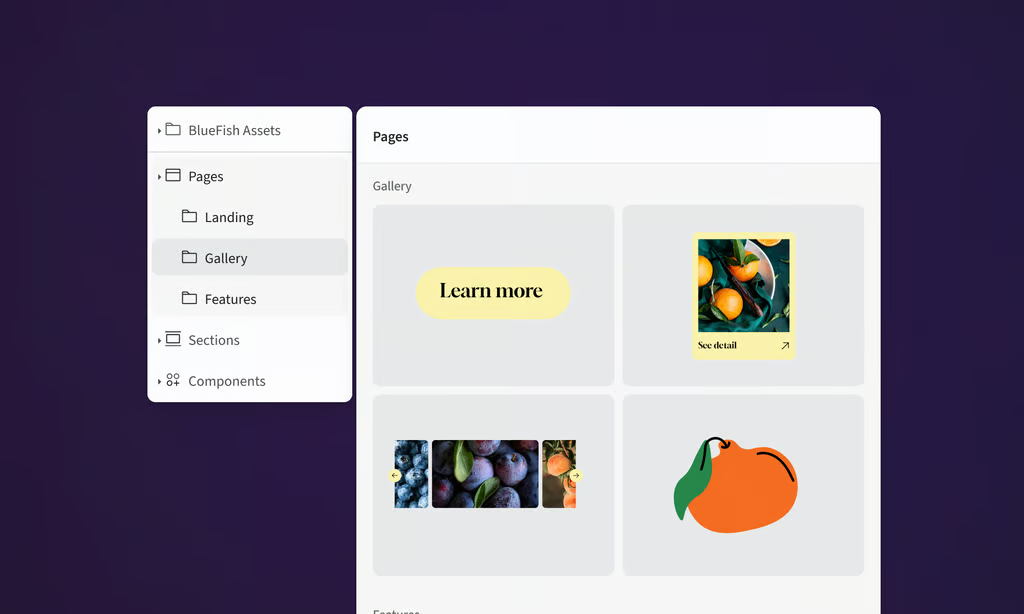
Asset Library

May, 2026

Stop rebuilding the same buttons, headers, and feature blocks from scratch. Save logos, images, components, section, or anything on the canvas to your account's Asset Library and drop them into any Flex project in a couple of clicks.

  • Save reusable, on-brand, interactive and animated assets from your canvas

  • Organize, browse, search, and insert from one shared library

  • Permissions to control who can create vs. use saved items

Learn more

Feature

Drop Zones

May, 2026

Drop Zones give you real-time visual feedback as you drag elements on the canvas — so you can see exactly where something will land before you let go.

What it does:

  • Shows a placeholder preview of an element's landing position as you drag it

  • Works when moving elements into, out of, or between Flex containers

  • Works when reordering elements within a container

Learn more

Feature

Flex AI is live

April, 2026

Flex AI — your canvas-aware design collaborator — is now live across all workspaces where AI is enabled. Flex AI works inside your design, not in a separate chat window. It sees your canvas, understands your brand assets, and helps you build, iterate, and refine without breaking your creative flow.

Learn more

Feature

Account Level Brand Kits

April, 2026

Brand Kits let you define your brand colors and text styles once at the account level, then reuse them across any Flex experience. No more recreating styles project by project.

How it works:

  • Create a Brand Kit with your color and text style tokens in the Theme & Styles Panel manager

  • Select a Brand Kit for any experience to apply your brand styles

  • When you update a Brand Kit, existing experiences aren’t changed until you choose to apply the update – no surprise changes

Brand Kits keep everyone on-brand without manual style policing.

Learn more

Improvement

Self-Hosted HTML Export

April, 2026

You can now export any Flex experience as a standalone HTML file. Download a complete package with all assets included, then host it on your own domain or infrastructure — no embeds or iframes required. Perfect for teams with strict hosting or security requirements.

Learn more

Improvement

Carousel & Slideshow Interactions

April, 2026

Building carousels, tabbed content, and step-based flows in Flex just got a whole lot easier.

Previously, creating sequential or cycling content meant manually wiring show/hide rules for every element. Now, you can skip all of that with new group-based visibility interactions:

  • Cycle Next — Move forward through a group of elements.

  • Cycle Previous — Move backward through a group.

Just define a group of related elements, assign an interaction to a button, arrow, thumbnail, or any trigger, and it just works. State is managed automatically, wrapping is built in, and you don't have to worry about visibility logic breaking.

Whether you're building image carousels, slideshows, or multi-step flows, what used to take careful manual setup now takes a few clicks.

Learn more

Improvement

New Effects: Blur, Ripple & Blur Background

April, 2026

Three new effects just dropped in Flex to give you even more creative control over your designs.

  • Blur: Soften any element to create depth, focus, or a dreamy visual feel.

  • Ripple: Add a dynamic wave effect that brings motion and energy to your content.

  • Blur Background: Keep your foreground sharp while blurring what's behind it for a polished, layered look.

All three are available now in the Effects panel.

Learn more

Made in Flex